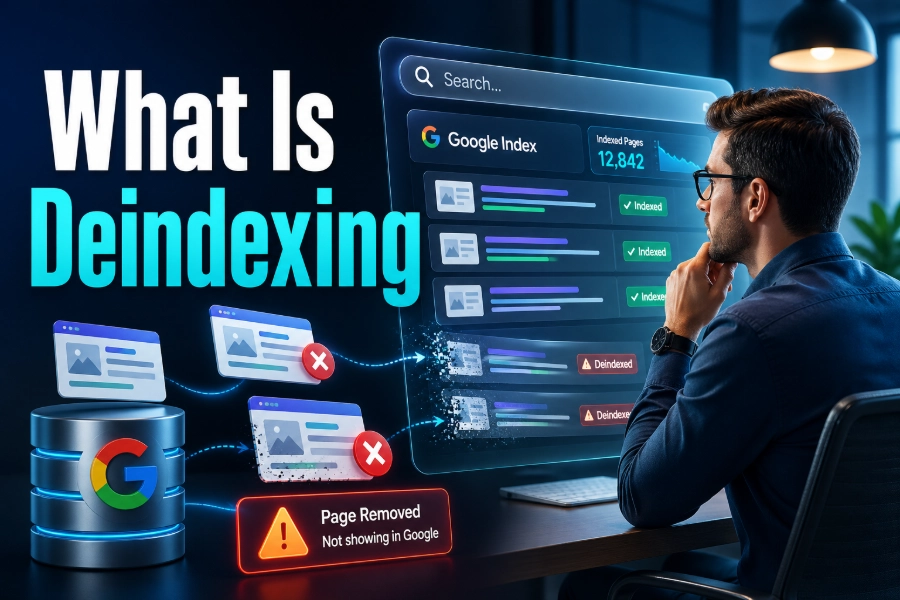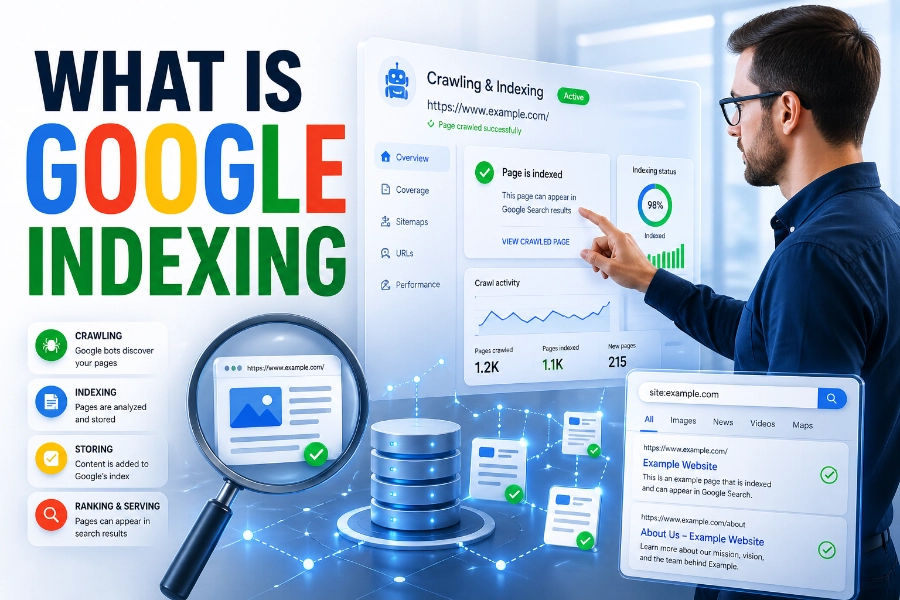

What is a Noindex tag is one of the most important questions you can ask when you want better control over how your website appears in search results. A noindex tag tells search engines not to index a specific page or file, even though the page may still be available to visitors.
When used correctly, it helps you keep low-value, private, duplicate-like, or conversion-only pages out of Google while allowing your strongest content to receive more attention.
What Is A Noindex Tag And Why It Matters
A noindex tag is an instruction that tells search engines not to show a specific URL in search results, unlike deleting the page or hiding it from users. The page can still load normally, users can still visit it via a direct link, and your website can still use it for business purposes, but search engines are asked not to index it. When you want to confirm whether important URLs are visible in search, a bulk index checker can help you review indexed pages faster, and that visibility check gives you a cleaner starting point before you decide which pages should stay indexed or be removed.
This matters because Google does not need every page on your site in its search results, especially when some pages exist only for navigation, tracking, filtering, account access, or post-conversion experiences. If every weak or unnecessary page gets indexed, your website can look bloated, unfocused, and harder for search engines to evaluate. A well-planned noindex strategy helps search engines focus on pages that deserve rankings, traffic, and long-term authority.
How A Noindex Tag Works
A noindex tag works when a search engine crawls a page, reads the directive, and understands that the URL should not appear in its index. The most common version is a meta robots tag placed inside the HTML head section, but the same instruction can also be sent through an HTTP header when the content is not a standard HTML page. This flexibility matters because websites often contain PDFs, images, videos, and other resources that may need indexation control, too.
The important detail is that search engines must be able to access the page before they can see the noindex instruction. If you block the page in robots.txt first, Google may not crawl it and may not detect the noindex directive. That is why noindex is usually a better index-control tool than robots.txt when your goal is to remove a page from search results while still allowing crawlers to read your instruction.
When You Should Use A Noindex Tag
You should use a noindex tag when a page has a real purpose for users or your business but does not deserve to rank in organic search. Good examples include thank-you pages, login pages, internal search result pages, checkout pages, PPC landing pages, staging pages, tag archives, thin author pages, and outdated pages that you still need to keep live. These pages may support user experience, analytics, advertising, or account access, but they can create search-quality problems when indexed without a strong reason.
Indexing problems often begin when search engines find too many low-value URLs and treat them as part of your public content library. If a site has many URLs stuck in discovery, crawled-but-not-indexed, duplicate, or excluded states, a practical guide on how to fix page indexing issues can help you understand the patterns behind those problems, and that knowledge makes your noindex decisions more accurate. The goal is not to hide weak pages at random, but to decide which pages should support SEO and which should quietly serve another purpose.
When You Should Not Use A Noindex Tag
You should not use a noindex tag on pages that you expect to rank, earn organic traffic, attract backlinks, or support your main topical authority. Accidentally adding noindex to service pages, blog posts, product pages, category pages, or location pages can quickly remove valuable URLs from search results and damage traffic. This is why every noindex decision should be intentional, documented, and checked after implementation.
You also should not use noindex as the first solution for every duplicate content issue, because canonical tags often do a better job when several similar pages exist. Search engines use canonical tags to understand which version should be treated as the preferred URL, while noindex simply asks them not to show the page at all. Crawl behavior also matters because how often does google crawl a site depends on signals such as authority, freshness, internal links, and technical health, so changes to noindex directives may not appear instantly.
Noindex Vs Robots.txt
Noindex and robots.txt are often confused, but they solve different problems. A noindex tag controls whether a page can appear in search results, while robots.txt controls whether search engine crawlers are allowed to crawl specific URLs or sections of a website. In plain language, noindex says, “you may read this page, but do not list it,” while robots.txt says, “do not crawl this area.”
This distinction is crucial because blocking a page in robots.txt can stop search engines from seeing the noindex tag placed on that page. If Google already knows the URL through links, it may still keep a limited reference to that URL without crawling the page content, which can create confusing search results. If your goal is deindexing, allow the page to be crawled and use noindex, then consider other controls only after the page has dropped from the index.
Noindex Vs Nofollow
Noindex controls whether a page appears in search results, while nofollow controls whether search engines should follow the links on that page. You can use them together in a robots meta tag, but doing so can create unintended consequences if the page contains useful internal links. A page marked noindex, follow may be excluded from search results while still allowing search engines to discover linked pages.
The more restrictive version, noindex, nofollow, tells search engines not to index the page and not to follow the links on it. That can make sense for some private, low-trust, or utility pages, but it is risky when the page supports your internal linking structure. For most SEO situations, noindex, follow is the safer choice because it removes the page from search while preserving some discovery value for linked URLs.
Noindex Vs Canonical Tags
A canonical tag helps search engines understand the preferred version of a page when similar or duplicate URLs exist. A noindex tag removes a page from search results, but a canonical tag can consolidate ranking signals into another URL when used correctly. This difference matters because using noindex on duplicate-like pages may prevent those pages from passing useful signals to the preferred page.
For example, a printer-friendly version of a guide may be better handled with a canonical tag pointing to the main version. A filtered product page with no unique search value might deserve noindex, especially if it creates thousands of combinations that weaken crawl efficiency. The right choice depends on whether you want to consolidate signals, remove a page from search, or control a large group of low-value URLs.
How To Add A Noindex Tag
The most common way to add a noindex tag is to place a robots meta tag inside the head section of an HTML page. A developer, CMS setting, or SEO plugin can usually handle this without changing the visible content of the page. In WordPress, many SEO plugins let you toggle indexing settings for posts, pages, archives, tags, categories, and custom content types.
For non-HTML files, an X-Robots-Tag in the HTTP header is often the better method. This approach can apply noindex rules to PDFs, images, videos, downloadable files, or server-level patterns that cannot use a traditional HTML head section. Whatever method you choose, test the final URL after publishing because a directive that looks correct in a dashboard may still fail if caching, templates, or server rules override it.
How To Check Whether A Page Is Noindexed
You can check whether a page is noindexed by viewing the page source and searching for robots directives. If you see a meta robots tag with noindex, the page is sending an instruction that search engines should not index it. You should also inspect HTTP headers when the page is a file or when you suspect server-level rules are controlling indexation.
Google Search Console is another practical place to verify index status because the URL Inspection Tool can show whether a page is indexed, excluded, crawled, or affected by a noindex directive. SEO crawling tools can also scan large websites and list every URL that uses noindex, which is useful during audits. The safest workflow is to check individual important pages manually, then run a site-wide crawl to catch hidden template-level mistakes.
Common Noindex Mistakes
The most damaging noindex mistake is applying it to important pages by accident. This can happen during a redesign, migration, staging push, CMS update, or plugin configuration change, and it can remove valuable pages from search results without obvious visual signs. Since the page still loads for users, teams may not notice the problem until traffic falls.
Another common mistake is adding noindex and blocking the same URL in robots.txt at the same time. That combination sounds logical to beginners, but it can stop search engines from crawling the page and seeing the noindex instruction. You should also avoid placing noindex on pages that contain important internal links unless you understand how long-term noindex may reduce crawling and link discovery over time.
Best Practices For Using Noindex Safely
Start by creating a clear list of page types that should be indexed and page types that should not be indexed. Your indexable pages should usually include valuable service pages, product pages, category pages with search demand, original blog posts, location pages, and other URLs built to satisfy search intent. Your noindexed pages should usually include account pages, thank-you pages, internal search pages, duplicate-like archives, utility pages, and low-value generated URLs.
You should also review noindex rules during technical SEO audits, migrations, plugin changes, and theme updates. Keep a simple indexation map so your team knows which templates are intentionally noindexed and which ones must stay open for search. This prevents guesswork, protects organic traffic, and gives you a repeatable process whenever your site structure changes.
Noindex For Large Websites
Large websites need noindex rules because they often create many URLs from filters, tags, sorting options, internal searches, pagination, user profiles, and generated archives. Without controls, search engines may waste attention on pages that add little value and ignore deeper pages that deserve discovery. This does not mean every large website has a crawl-budget crisis, but it does mean indexation control becomes more important as URL count grows.
For ecommerce sites, SaaS platforms, publishers, marketplaces, and directory websites, noindex can support a cleaner search footprint. The best strategy is to keep unique, useful, search-focused pages indexable and remove thin combinations that do not satisfy a distinct query. When noindex is paired with strong internal linking, clean sitemaps, helpful content, and accurate canonicals, search engines can understand the site more efficiently.
What Is A Noindex Tag In A Complete SEO Strategy
What Is A Noindex Tag becomes more useful when you see it as part of a full SEO system, not a quick fix for every weak page. It works best alongside canonical tags, XML sitemaps, robots.txt rules, internal linking, content pruning, redirects, and regular indexation checks. Each tool has a different job, and noindex should only be used when the page should remain accessible but should not compete in search results.
A strong noindex strategy also protects your website’s quality signals. Instead of letting search engines judge every thin, temporary, private, or technical URL as public content, you guide them toward pages that represent your expertise. That guidance helps users find better pages, helps search engines understand your site, and helps your best content compete more clearly.
Conclusion
What is a Noindex tag is more than a beginner SEO question because the answer affects how search engines understand your entire website. A noindex tag tells search engines not to display a specific page in search results, but it does not delete the page, block users, or automatically solve every duplicate content problem.
You should use it for pages that need to stay live but should not rank, such as thank-you pages, login pages, internal search results, thin archives, and temporary landing pages. You should avoid it on pages that deserve organic visibility, backlinks, conversions, or topical authority. When you apply noindex carefully, test it properly, and combine it with better crawl and content decisions, your website becomes cleaner, easier to evaluate, and stronger in search.