All the Features You Need for Complete Index Control
Explore powerful tools built to help you check Google indexing, organize projects, schedule automated checks, and monitor all your sites with ease. Bulk Index Checker keeps the workflow clear, scalable, and practical, even if you are not technical.
One workflow from quick checks to full-scale monitoring
Whether you need a single check, a structured project setup, scheduled tracking, or API-powered automation, the feature set is designed to support the full indexing workflow from start to scale.
Instant Checks
Quickly verify which pages are indexed without manual guesswork or disconnected steps.
Project Organization
Keep websites, campaigns, and client work grouped in a cleaner operational structure.
Scheduled Monitoring
Review changes over time instead of relying only on one-time checks.
Developer Access
Connect the platform to custom systems and automate checks with API support.
Built for real indexing operations
Each feature is designed to reduce friction, improve visibility, and help you stay organized as your indexing workflow grows from quick checks to larger SEO operations.
Organize and Monitor with Projects
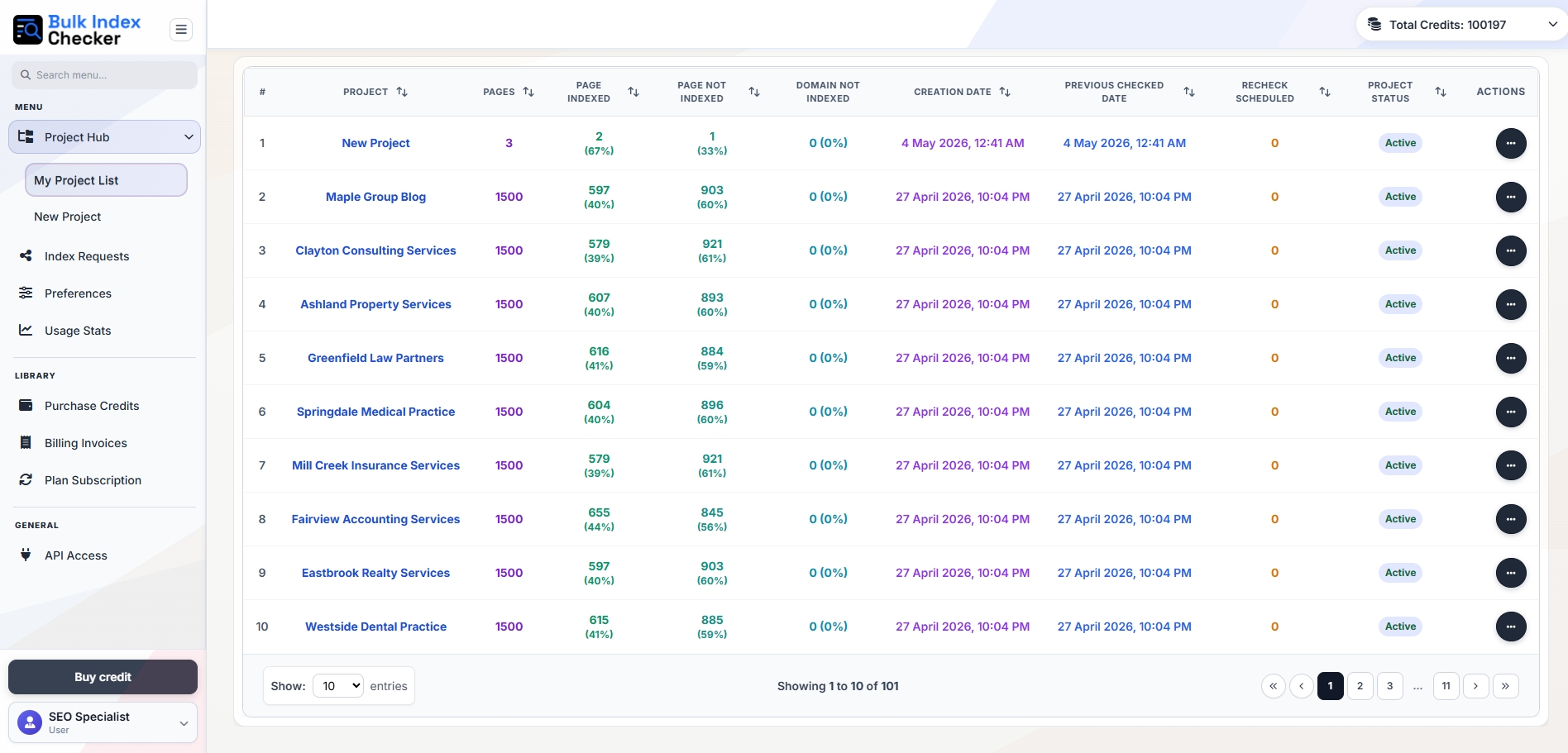
Manage every website, client, or campaign from one organized workspace. Projects give you a cleaner way to group URLs by domain, review how index status changes over time, and keep recurring checks tied to the work that matters most.
Instead of handling scattered URL lists, you can keep everything structured in one place, monitor historical changes, and quickly spot which pages are indexed, which ones need attention, and which projects deserve the next action.
Create Projects in Minutes
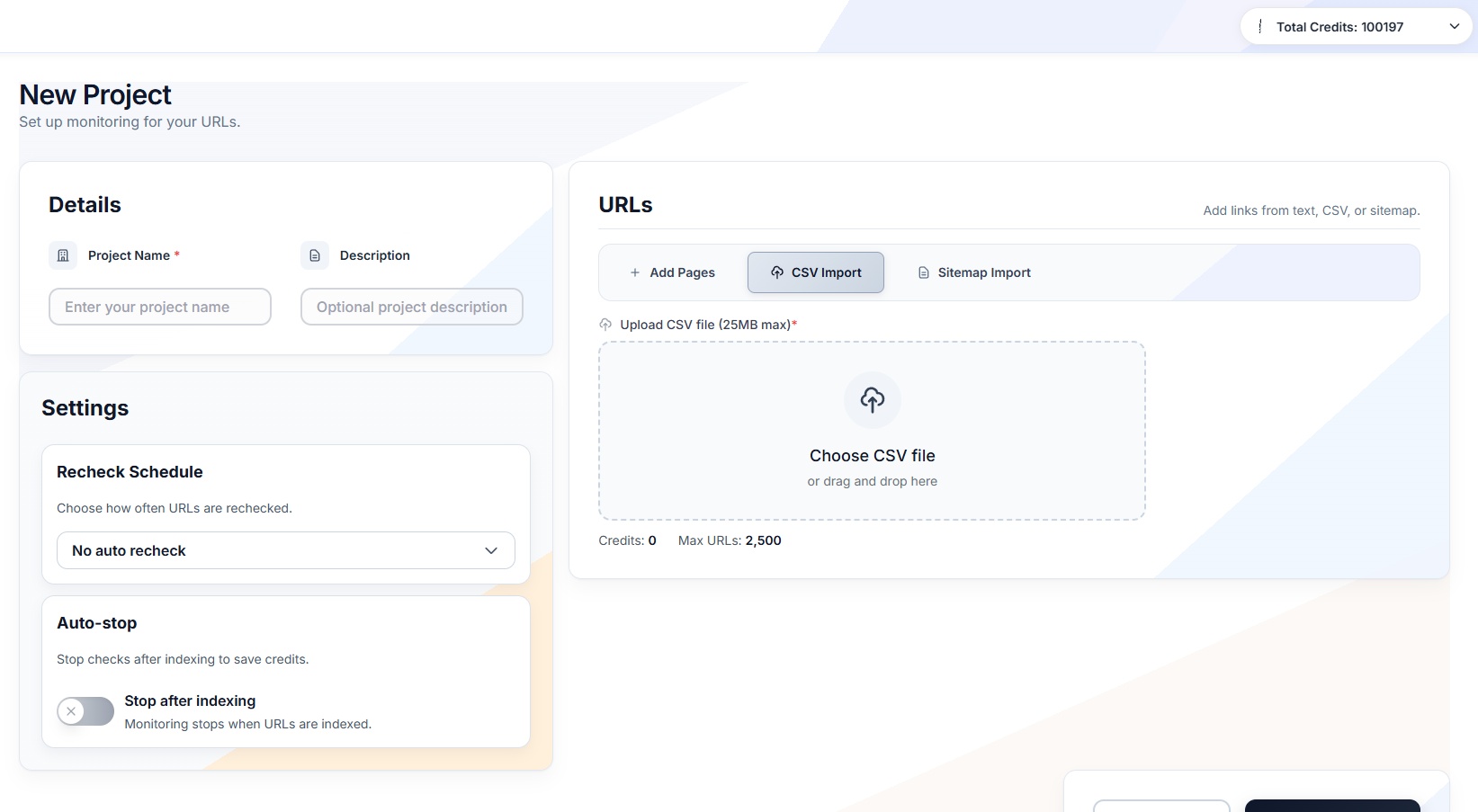
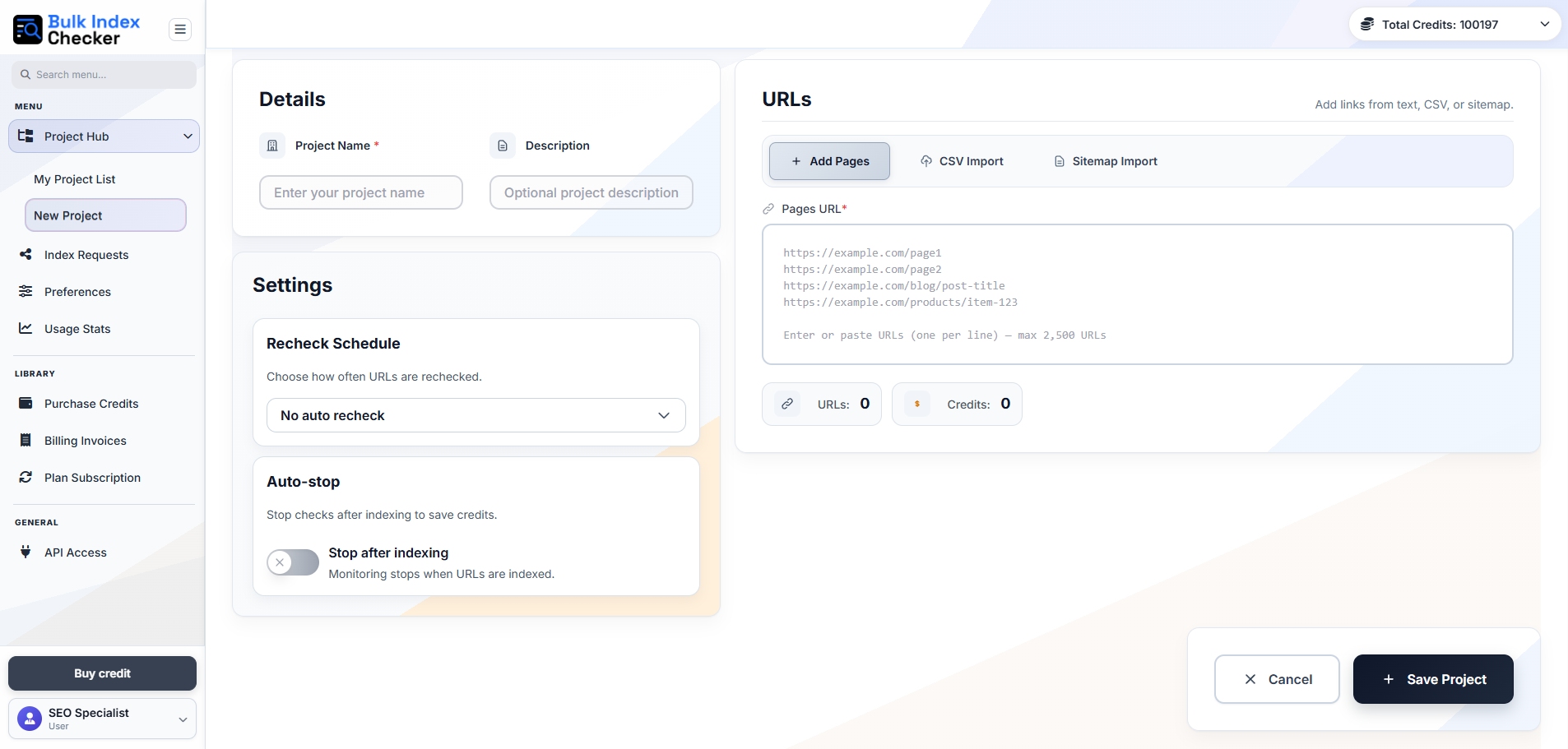
Start new indexing workflows quickly by setting up projects with a clear name, description, and URL source. Whether you paste pages directly, upload a CSV, or pull URLs from a sitemap, the setup process is designed to be fast and easy to repeat.
This makes it easier to launch monitoring for new websites, campaigns, or content groups without wasting time on manual setup. You can move from raw URL list to active project in just a few clicks and keep progress visible from the start.
Filters and Monitoring That Keep Large URL Sets Usable
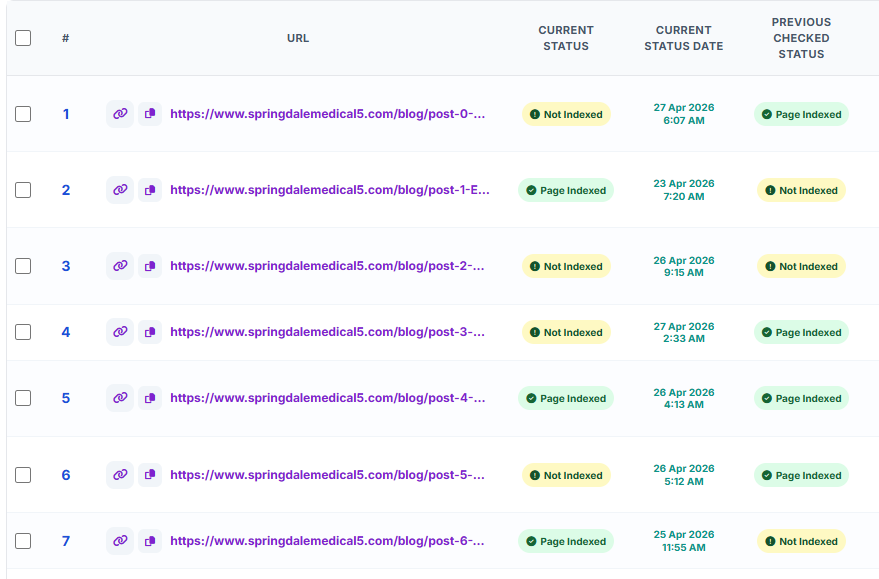
When you are working with hundreds or thousands of pages, simple visibility is not enough. Advanced filters let you sort URLs by meaningful states such as indexed, not indexed, pending, checking, failed, or ready for retry so you can focus on what matters now.
Saved views and bulk actions make large-scale monitoring much more practical. Instead of scanning endless lists, you can jump into the exact slice of data you need, review recurring issues, and take action faster across multiple projects.
Indexing Requester with Provider-Level Tracking
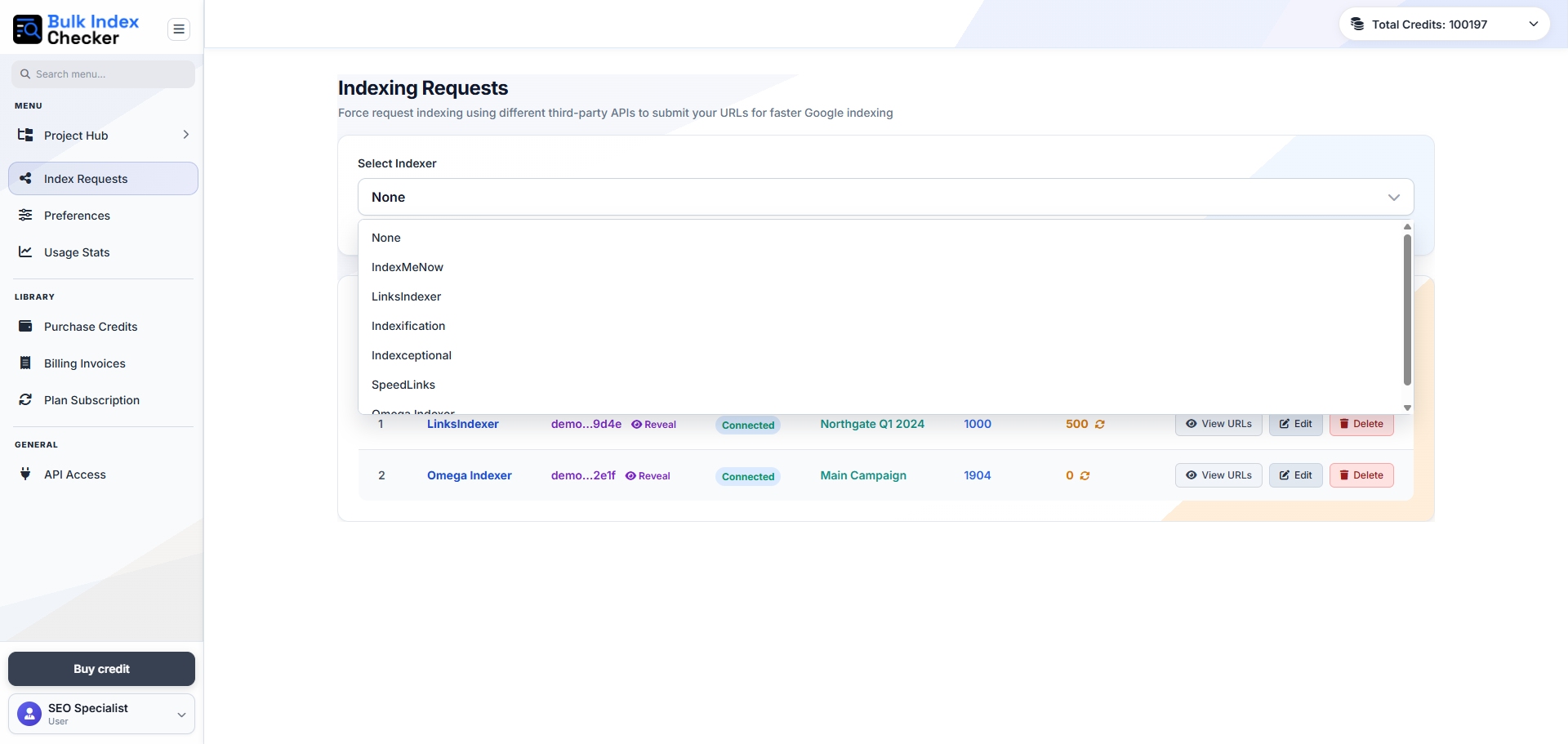
Send indexing requests through connected providers and keep full visibility into how each submission performs. You can review which provider handled the request, when it was sent, what response came back, and whether the attempt succeeded, failed, or should be retried somewhere else.
This is especially useful when you want to compare provider performance, improve credit efficiency, and avoid repeating the same failed process without knowing what happened behind the scenes.
Notification and Timezone Settings That Match Your Workflow
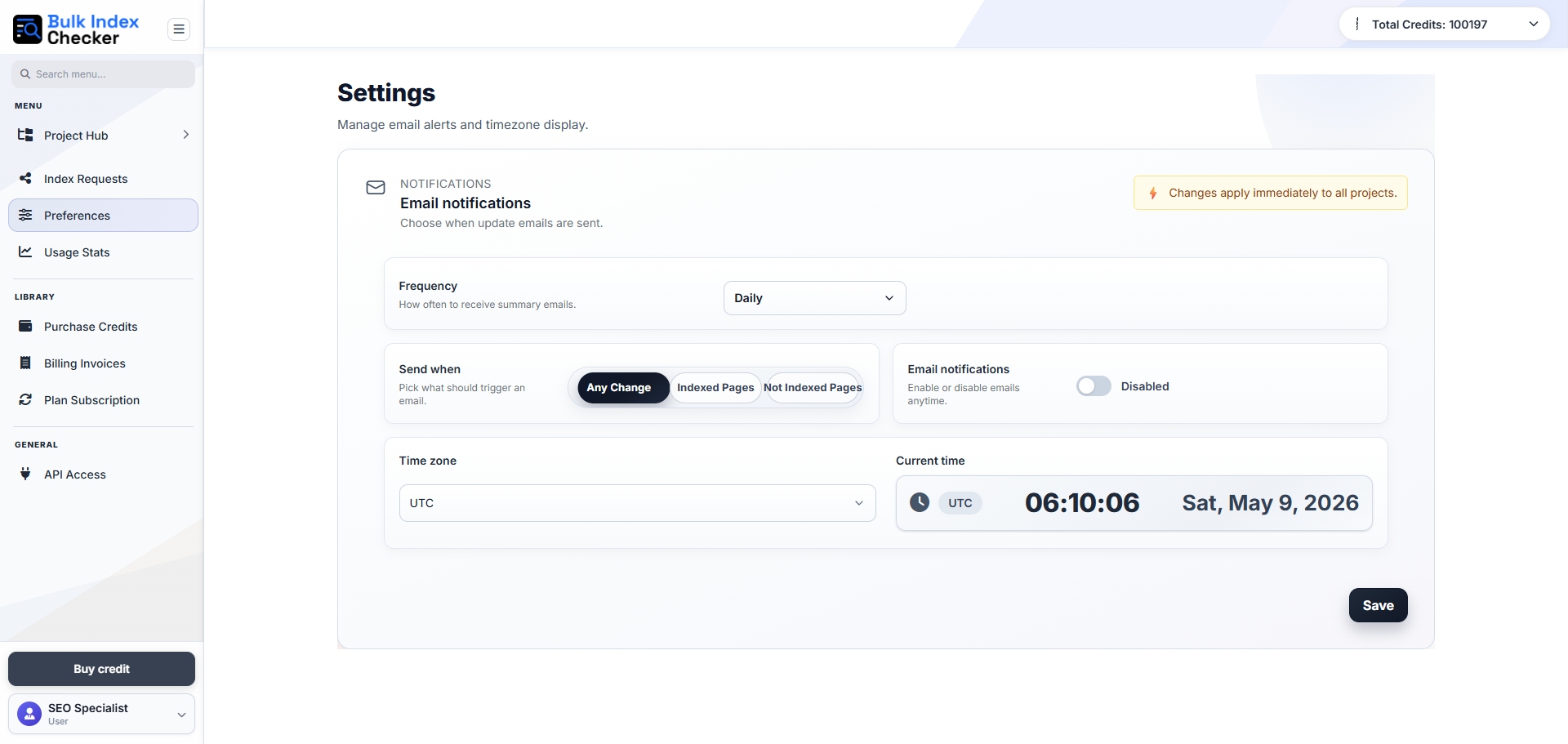
Keep updates aligned with the way your team works. Settings let you control when notifications arrive, how often summaries are sent, and which timezone the system uses so your reporting and scheduling stay accurate.
That means fewer missed updates, clearer timing for checks and alerts, and a smoother experience when multiple projects or stakeholders are involved. You can adjust the setup quickly without interrupting ongoing work.
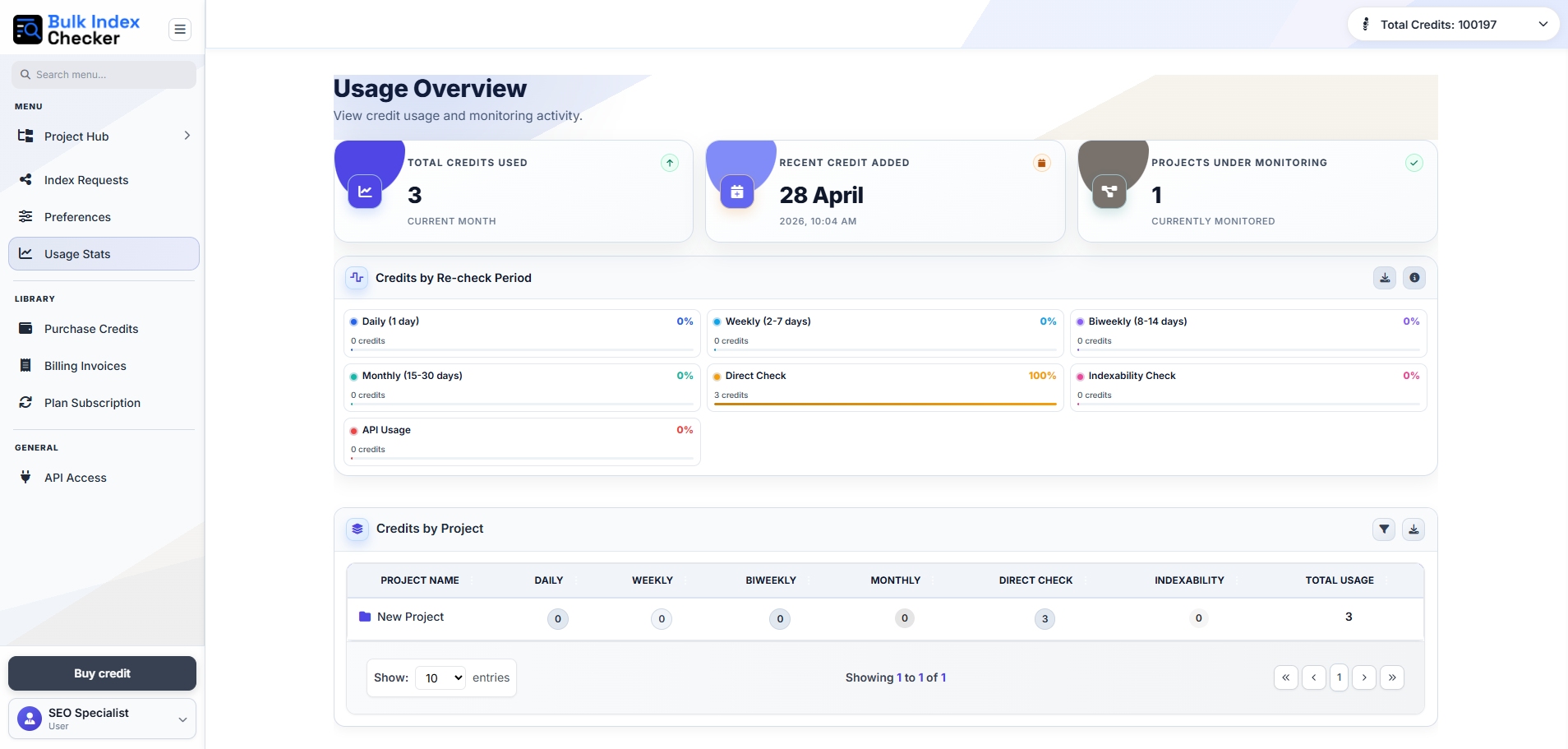
Usage Analytics That Make Credits Easier to Manage
Understand how your account is being used with a clearer view of credit activity, active projects, and check volume across different periods. This makes it easier to see where usage is concentrated and where adjustments might improve efficiency.
Instead of guessing where credits went, you can review how direct checks, scheduled monitoring, and API requests contribute to overall usage and make more informed decisions about scale and allocation.
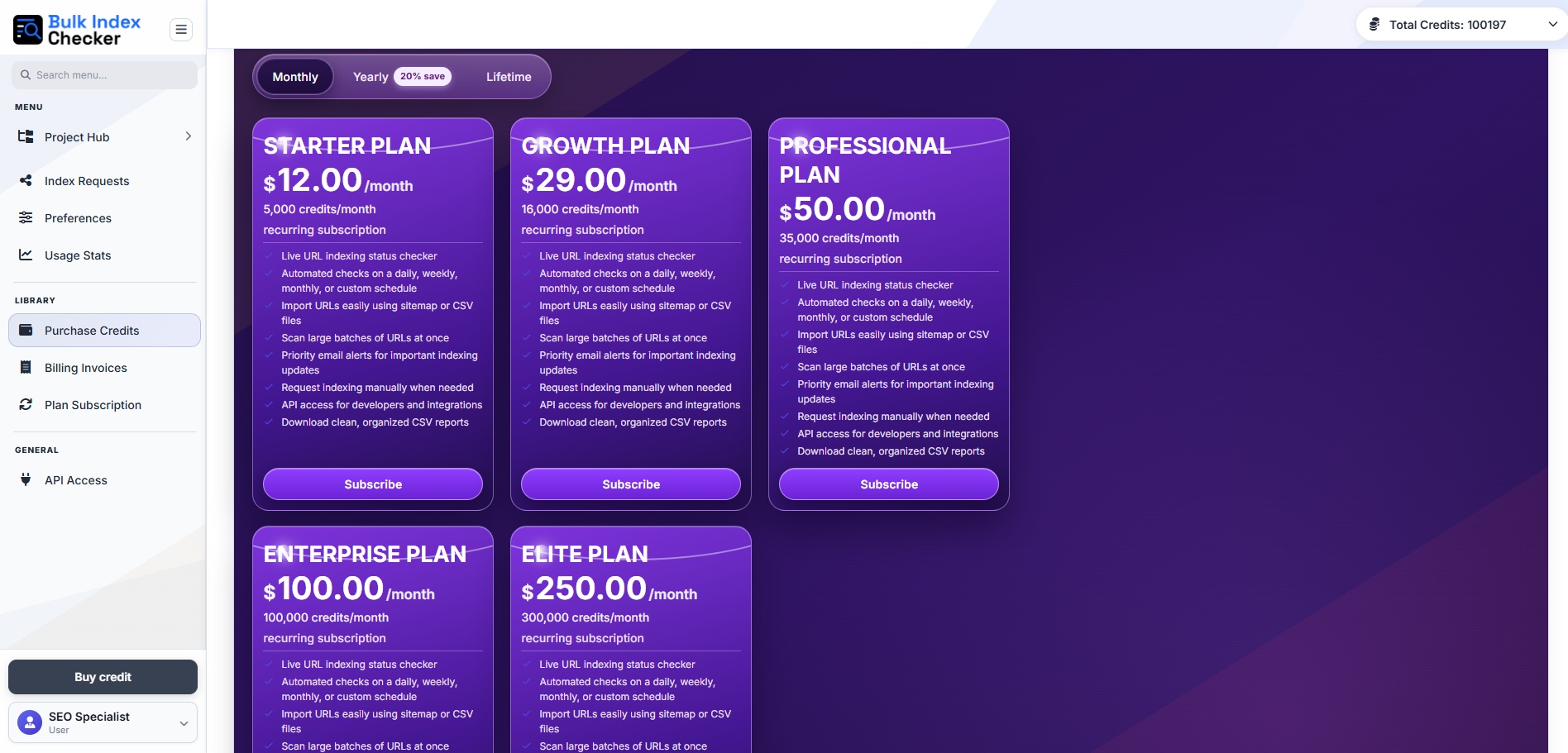
Buy Credits Only When You Need Them
Keep your indexing workflow moving with simple one-time credit purchases. This makes it easier to scale checks when demand increases without forcing you into a subscription structure that does not fit how your team actually works.
For growing sites, agencies, or seasonal campaigns, that flexibility is useful. You can top up when needed, stay in control of spending, and expand your monitoring capacity without unnecessary complexity.
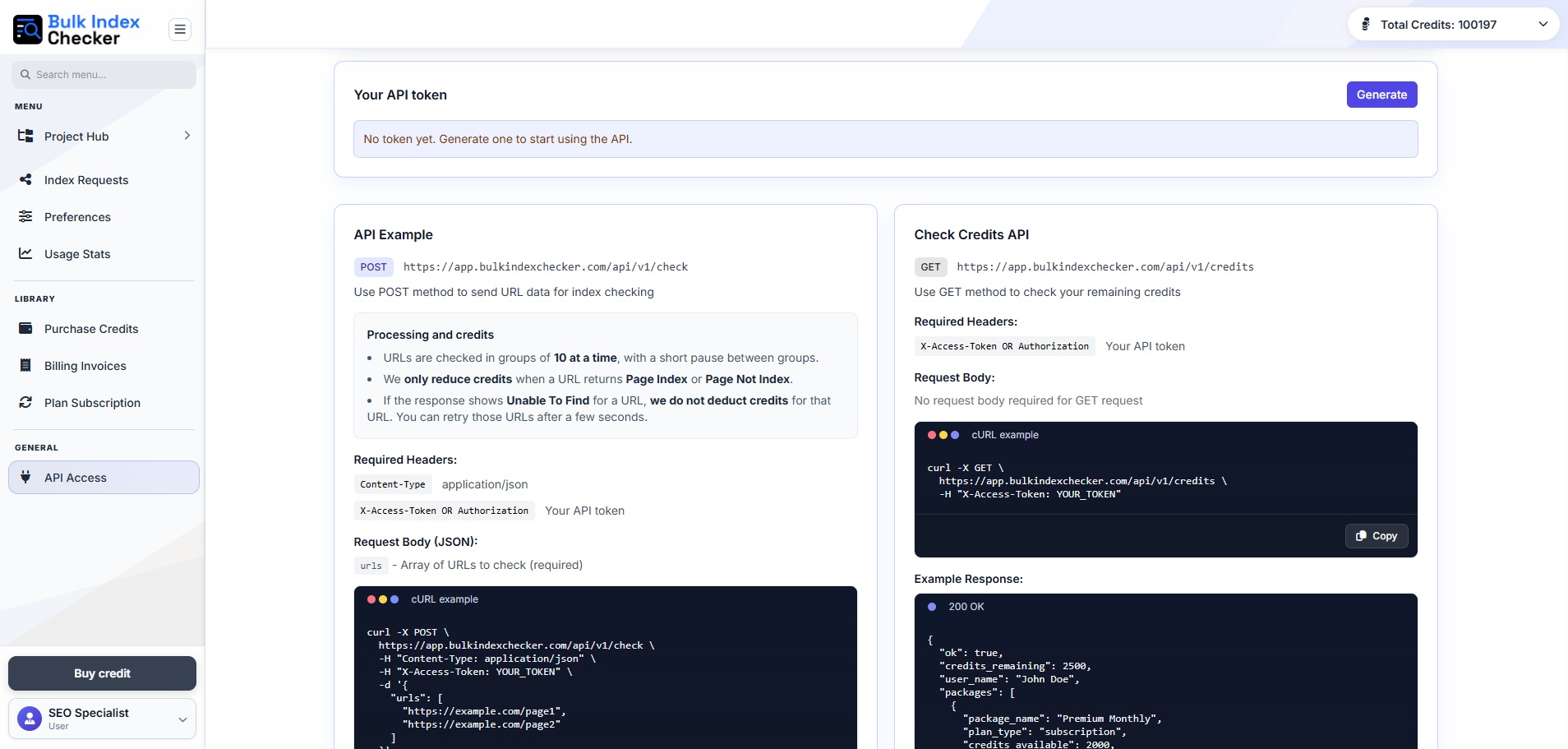
API Access for Developers, Agencies, and Custom Workflows
Bring Bulk Index Checker into your own systems with API access designed for automation. Generate a token, authenticate securely, send URL batches through POST requests, and receive structured results that fit into your internal tools or client workflows.
This is ideal for teams that need programmatic access, repeatable reporting, or tighter integration with dashboards and operations that already exist outside the main interface.
Everything stays connected in one practical workflow
Each part of the platform is designed to work together so your team can move from simple checks to structured monitoring and automation without changing tools or rebuilding the process.
See indexing clearly
Understand what is indexed, what changed, and what needs action without scanning through messy lists manually.
Stay organized as you scale
Projects, filters, and usage insights help teams keep larger workflows under control as site size grows.
Expand beyond the interface
Credits, API access, and provider tracking make the system flexible enough for agencies and advanced users.
Take control of indexing with a workflow built to scale
Use Bulk Index Checker to check Google indexing faster, keep projects organized, automate follow-up checks, and manage growing URL sets with more confidence and less manual work.