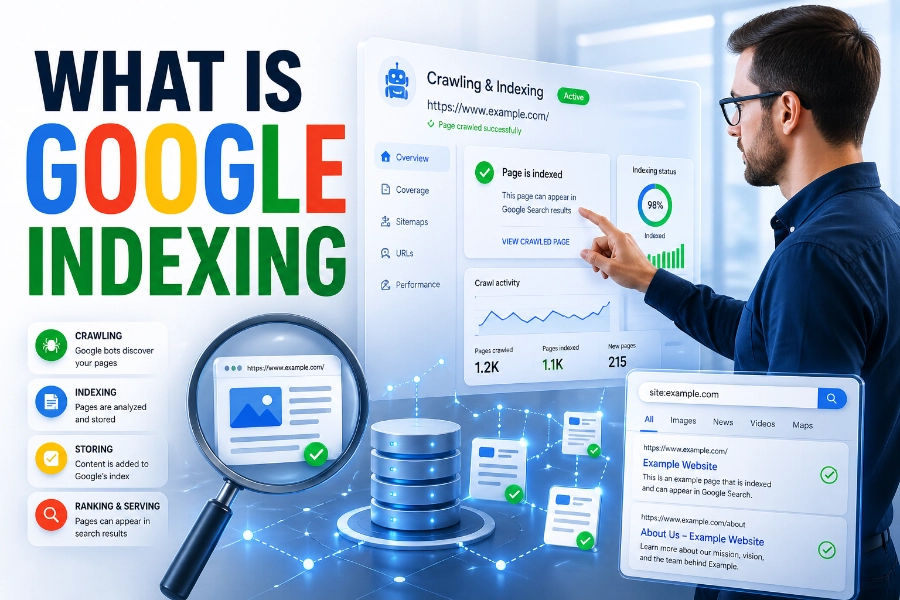
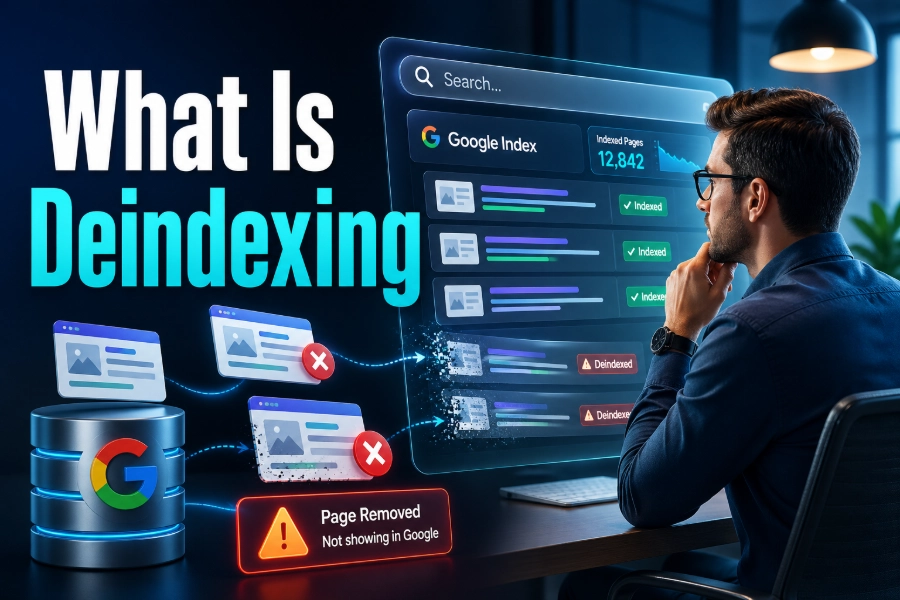
What is deindexing? It is the removal of a web page from a search engine’s index, which means that page can no longer appear in normal organic search results. If a page once brought traffic but suddenly disappears from Google, the issue may not be a ranking drop; it may be an indexing problem that prevents the page from showing at all.
Understanding deindexing helps you protect valuable pages, remove weak ones intentionally, and keep your SEO strategy focused on content that deserves visibility. Read on for more details.
What Is Deindexing? The Simple SEO Meaning
Deindexing happens when Google or another search engine removes a URL from its searchable database, so users cannot find that page through standard search results. A deindexed page may still exist on your website, load normally in a browser, and be accessible through direct links, but it loses organic search visibility because the search engine has stopped storing it as an eligible result.
This is different from a page simply ranking lower because a low-ranking page can still appear somewhere in search results, while a deindexed page is removed from the index entirely. When you manage many URLs, the Bulk Index Checker helps you test whether important pages are visible in search, and that quick view can separate a sitewide issue from one isolated URL. That distinction matters because the recovery plan for a deindexed page is usually more technical and urgent than the plan for a page that only needs better content or stronger authority.
Deindexing can be intentional or accidental, and that is where many website owners get confused. You may intentionally deindex thank-you pages, internal search pages, thin tag pages, duplicate landing pages, or private campaign pages because they do not help searchers. Accidental deindexing is more dangerous because it can remove revenue pages, service pages, product pages, or high-performing blog posts without you noticing until traffic falls.
Why Search Engines Deindex Pages
Search engines deindex pages when those pages are blocked, marked for removal, considered low-value, duplicated too heavily, unavailable too often, or affected by quality and policy issues. In simple terms, Google wants its index to contain pages that are accessible, useful, original, and safe for searchers. If your page fails those expectations, either by choice or by mistake, it can be removed from search.
Technical signals are among the most common causes because one small setting can change how search engines treat a page. A noindex tag tells search engines not to keep the page in their index, while certain server responses, canonical errors, password protections, and redirect chains can also lead to removal. These problems often happen after site migrations, plugin updates, theme changes, staging-site launches, or rushed development work.
Quality issues can also trigger deindexing, especially when pages are thin, copied, auto-generated, misleading, or nearly identical to many other pages on the same site. Search engines do not want to show dozens of pages that say almost the same thing, so weak duplicates may lose index status over time. This is why deindexing is not only a technical topic; it is also a content-quality and website-governance issue.
Deindexing Vs Noindex, Robots.txt, And Ranking Drops
Deindexing is the outcome, while noindex is one instruction that can cause that outcome. A noindex directive tells search engines that a page should not appear in search results, and once the crawler sees that directive, the page can be removed from the index. This is useful for pages that should exist for users but should not compete in organic search.
Robots.txt works differently because it controls crawling, not always indexing. If a URL is blocked in robots.txt, Google may be unable to crawl the page and see a noindex tag, which can create confusing search messages or leave a URL visible with limited information. When this confusion appears, a clear guide on how to fix indexed though blocked by robots txt can help you understand why blocking a page is not the same as removing it from search.
A ranking drop is also different from deindexing because the page remains in the index but performs worse than before. If your page still appears when you search the exact URL or use a site search operator, you may have a ranking, relevance, or competition problem. If the page cannot be found in the index at all, you need to investigate indexability before rewriting content or building links.
Common Causes Of Accidental Deindexing
Accidental deindexing often starts with a simple mistake that spreads across important pages. A developer may leave a noindex tag from a staging environment, a plugin may change meta robots settings, or a CMS template may apply the wrong indexing rule to an entire content type. These errors are frustrating because the pages may look perfectly normal to visitors while silently disappearing from search.
Another common cause is poor handling of canonicals, redirects, and duplicate pages. If a canonical tag points to the wrong URL, Google may treat your preferred page as a duplicate and index another version instead. If a page redirects unexpectedly, returns a soft 404, or sits inside a messy chain, search engines may decide it is not worth keeping in the index.
Content and crawl problems can also push pages out of search gradually. If important pages are thin, outdated, overloaded with repeated copy, or buried so deeply that crawlers rarely reach them, their index status can become unstable. When you need a practical recovery path, how to fix page indexing issues explains the kind of troubleshooting mindset that helps you move from guessing to checking real causes.
When Deindexing Is Actually Useful
Not every page on your website should be indexed, and that is a point many SEO beginners miss. Search visibility should be reserved for pages that satisfy search intent, support business goals, and offer enough value to compete. Deindexing weak or irrelevant pages can improve the overall quality of your searchable website footprint.
For example, you may not want Google to index thank-you pages, login pages, cart pages, filtered product URLs, internal search results, duplicate campaign pages, or low-value tag archives. These pages may serve a purpose for users already on your site, but they rarely make strong organic search landing pages. Leaving them indexed can waste crawl attention, create duplicate-content problems, and make your site look less focused.
Strategic deindexing works best when it is deliberate, documented, and reviewed before implementation. You should know exactly why a page is being removed from search and whether another page already satisfies that same search intent better. Used carefully, deindexing helps search engines focus on your strongest pages instead of sorting through clutter.
How To Check If A Page Has Been Deindexed
The first step is to confirm whether the page is truly deindexed or simply ranking poorly. Search for the exact URL in Google, inspect the URL in Google Search Console, and compare the page’s traffic trend with its indexing status. If Search Console says the page is not indexed, your next job is to identify whether Google discovered the page but excluded it, crawled it and rejected it, or never crawled it properly.
You should also review the page source and response code. Check for noindex tags, canonical tags, robots meta directives, HTTP status codes, redirects, password protection, and blocked resources. A page that returns 200 OK, has a self-referencing canonical, is internally linked, and contains no noindex directive has a much better chance of staying indexed.
Do not rely on traffic loss alone because traffic can fall for many reasons. Competitors may outrank you, search demand may decline, SERP layouts may change, or the page may lose relevance without being removed from the index. A proper diagnosis separates indexing problems from ranking problems, which saves you from applying the wrong fix.
What To Do When Important Pages Are Deindexed
When an important page disappears from search, start with the easiest checks before making major changes. Confirm that the page is live, indexable, crawlable, internally linked, and not blocked by robots.txt or a noindex directive. Then inspect the URL in Search Console to see how Google classifies the issue.
If the page was removed because of a technical error, fix the error first and then request indexing. If the page was excluded because Google sees it as a duplicate, review canonical tags, improve unique content, and make sure the preferred URL is clear. If the page is thin or outdated, strengthen the content before asking Google to reconsider it.
Recovery is not always instant because Google must crawl, process, and evaluate the page again. For important pages, support the recovery with internal links from relevant pages, fresh sitemap inclusion, clean canonical signals, and useful content updates. The goal is not just to get the page indexed once, but to make it worth keeping in the index.
How Content Quality Affects Indexing
Search engines are less likely to keep weak pages indexed when they add little value beyond what already exists online. Thin content, copied text, doorway pages, keyword-stuffed sections, and low-effort AI rewrites can make a page look disposable. If many pages on your site share that problem, Google may crawl and index your site more selectively.
Good content gives search engines a clear reason to keep a page visible. It answers the searcher’s real question, explains the topic better than shallow competitors, uses original examples, and provides practical next steps. For a topic like deindexing, that means going beyond a definition and explaining causes, diagnosis, prevention, and recovery.
You should also avoid creating several pages that target the same keyword with only minor wording changes. This can cause internal competition, confuse canonical signals, and make it harder for Google to know which page deserves index priority. One strong, comprehensive page usually performs better than five thin pages fighting for the same intent.
How Technical SEO Prevents Deindexing
Technical SEO protects your pages by making them easy for search engines to discover, crawl, understand, and store. A strong technical setup includes clean internal links, accurate XML sitemaps, correct canonical tags, stable server responses, mobile-friendly layouts, and fast-loading pages. These elements do not guarantee rankings, but they help search engines process your site correctly.
Your sitemap should include only important indexable URLs. It should not be filled with redirects, noindex pages, broken pages, duplicate URLs, or low-value archives. A clean sitemap sends a stronger signal about which pages matter most, while a messy sitemap can slow diagnosis when indexing problems appear.
Internal linking is just as important because crawlers use links to discover and evaluate pages. If a key service page or product page has no meaningful internal links, it may be crawled less often and treated as less important. Build logical paths from high-value pages to other relevant pages so search engines can understand your site structure.
Deindexing During Website Migrations
Website migrations are one of the riskiest moments for accidental deindexing. During a redesign, domain change, CMS switch, or URL restructure, teams often touch robots.txt files, canonical tags, redirects, templates, and sitemap settings at the same time. One missed setting can remove large groups of pages from search.
Before launch, you should crawl the staging site and the live site, then compare indexability rules across both versions. Make sure staging noindex rules do not move to production, old URLs redirect to the best matching new URLs, and canonical tags point to final live pages. You should also update XML sitemaps and submit them after launch.
After launch, watch Search Console closely for coverage changes, crawl errors, redirect problems, and sudden drops in indexed pages. Do not assume everything is fine because the website looks good to users. Search engines read technical signals that visitors never see, and migration mistakes can damage visibility quickly.
Temporary Vs Permanent Deindexing
Deindexing can be temporary when it happens because of a fixable issue. For example, a noindex tag may be removed, a blocked page may be reopened for crawling, or a broken redirect may be corrected. Once Google recrawls the page and sees the improved signals, the page may return to the index.
Permanent deindexing is more likely when a page is intentionally removed, deleted, consolidated, or judged too low-quality to deserve search visibility. Some pages should stay out of the index forever because they are private, duplicated, outdated, or not useful as search results. In those cases, recovery is not the goal; clean removal is the right outcome.
The important decision is whether the page deserves to be indexed. If the answer is yes, fix the technical or content issue and request reprocessing. If the answer is no, keep the deindexing signal in place and make sure the page does not confuse search engines through conflicting robots, sitemap, or canonical instructions.
Best Practices To Avoid Future Deindexing Problems
Create a regular indexing audit process instead of waiting for traffic to fall. Check important pages weekly or monthly, especially after plugin updates, CMS changes, site launches, content pruning, and migration work. This habit helps you catch problems while they are still small.
Document your indexing rules so your team knows which pages should be indexed and which should not. Keep a simple list of page types, such as blog posts, service pages, product pages, thank-you pages, tag archives, and internal search pages. This prevents accidental changes when different people work on SEO, development, content, and paid campaigns.
You should also build quality control into publishing. Before a page goes live, check search intent, originality, canonical tags, indexability, internal links, title tags, meta descriptions, and sitemap inclusion. A page that passes these checks has a stronger chance of staying visible and useful in organic search.
Conclusion
What is deindexing? It is the removal of a page from a search engine’s index, and it matters because a deindexed page cannot earn normal organic visibility no matter how well it once performed. The safest way to handle deindexing is to first decide whether the page should be indexed at all. If the page is private, duplicate, thin, or not useful for searchers, deindexing may be the right choice.
If the page is important, you need to check noindex tags, robots.txt rules, canonical tags, redirects, server responses, sitemap status, internal links, and content quality. Deindexing becomes less scary when you treat it as a signal to investigate rather than a mystery. With regular audits, clean technical SEO, and genuinely helpful content, you can protect valuable pages and keep your search presence focused, stable, and easier for Google to understand.