
If you want to crawl a website without getting blocked, you need more than basic scripts and luck. Modern websites use advanced detection systems that track behavior, headers, and traffic patterns within milliseconds.
This guide shows you exactly how to crawl efficiently while staying under the radar, using proven techniques drawn from real-world scraping practices. By the end, you will understand how to build a stable, scalable, and consistent crawling system.
Understanding How Websites Detect Crawlers
Websites today rely on layered defenses that analyze multiple signals before allowing access to content. These systems evaluate IP reputation, request frequency, browser fingerprints, and header completeness in real time.
If your crawler sends repetitive requests from a single IP or uses default headers, it becomes easy to detect and block. Anti-bot tools compare your behavior to real human browsing patterns, making it essential to mimic natural traffic closely.
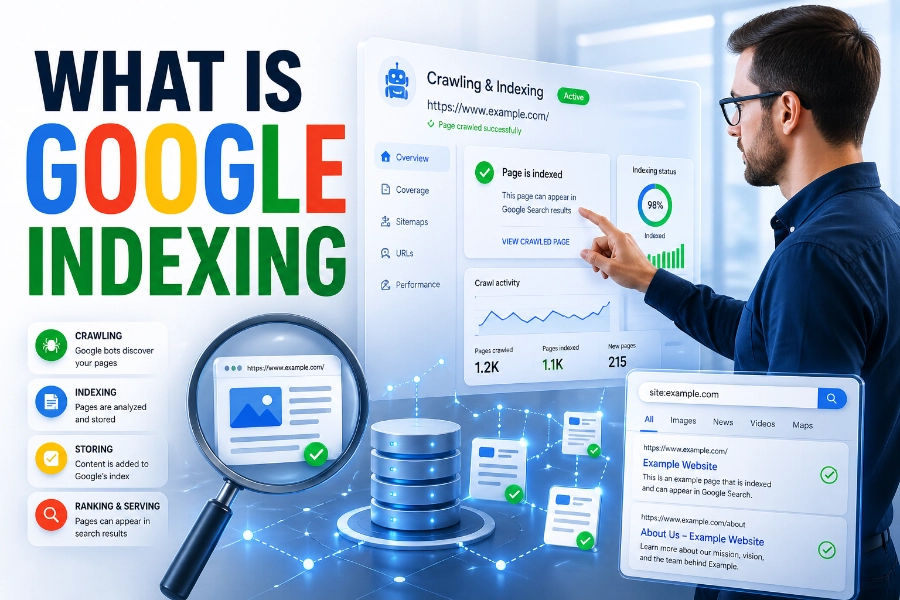
To maintain visibility into your crawling efficiency, you should regularly check all your indexed pages in real time and refine your strategy based on indexing behavior and response patterns.
Key Detection Signals
- IP address consistency
- Header structure and completeness
- Browser fingerprint mismatches
- Request timing patterns
Using Proxy Rotation To Avoid IP Blocking
Proxy rotation is one of the most effective ways to crawl a website without getting blocked. Instead of sending all requests from a single IP, rotating proxies distribute traffic across multiple IP addresses, reducing detection risk.
Residential proxies are especially valuable because they appear as real user connections rather than data center traffic. This makes your requests blend naturally into normal browsing behavior.
At scale, rotating proxies per request significantly lowers block rates and allows continuous data collection without interruptions.
Best Practices For Proxy Usage
- Rotate IPs frequently
- Use residential proxies for sensitive targets
- Avoid overusing a single subnet
Crafting Realistic Headers And User Agents
Headers play a critical role in how websites perceive your crawler. Default script headers often look incomplete or unnatural, making them easier for anti-bot systems to detect.
To improve your success rate, you should replicate real browser headers, including Accept-Language, Accept-Encoding, and Referer fields. This makes your crawler appear more like a legitimate visitor.
Understanding how content is structured and generated helps refine your approach, and insights from how content generators work can guide how you interpret and extract structured web data efficiently.
Header Optimization Tips
- Use an updated browser, user agents
- Include full header sets
- Rotate user agents periodically
Controlling Crawl Speed And Request Patterns
Crawl speed is one of the most overlooked factors in avoiding blocks. Sending too many requests in a short time triggers rate limits and raises suspicion.
Instead, you should introduce delays between requests and randomize intervals to simulate human browsing. This reduces the likelihood of triggering automated defenses.
If you are managing large datasets, knowing what is an ai writing assistant and how is it beneficial can help you process and organize extracted data efficiently without overwhelming your workflow.
Smart Crawling Behavior
- Add random delays between requests
- Avoid burst traffic patterns
- Respect crawl-delay directives
Leveraging Headless Browsers For Complex Sites
Some websites rely heavily on JavaScript to render content, making simple HTTP requests insufficient. In these cases, headless browsers like Playwright or Puppeteer are necessary.
However, default headless configurations can still be detected due to automation flags. You need to modify browser fingerprints, disable automation indicators, and simulate real user interactions.
Advanced setups also include mimicking mouse movement, scrolling behavior, and session persistence to improve realism.
Headless Browser Advantages
- Executes JavaScript content
- Handles dynamic page elements
- Mimics real user interactions
Managing CAPTCHAs And Bot Challenges
CAPTCHAs are designed to distinguish humans from bots, and encountering them is inevitable during large-scale crawling. Ignoring them will halt your data collection process.
To handle this, you can integrate CAPTCHA-solving services or adjust your crawling strategy to reduce trigger frequency. Lowering request rates and improving headers often reduces CAPTCHA appearances.
A balanced approach ensures you maintain access without constantly solving challenges.
CAPTCHA Handling Methods
- Use solving APIs
- Reduce request frequency
- Improve session realism
Scaling Crawling Operations Safely
Scaling your crawler requires more than increasing request volume. Without proper infrastructure, scaling leads to higher block rates and unstable performance.
You should distribute requests across multiple proxies, regions, and sessions to maintain balance. Monitoring success rates helps identify weak points in your setup.
A well-structured system allows you to crawl large datasets efficiently without compromising reliability.
Scaling Essentials
- Use distributed proxy pools
- Monitor success and failure rates
- Adjust strategies based on data
Monitoring And Optimizing Crawl Performance
Continuous monitoring is essential for long-term crawling success. Without tracking performance, you cannot identify issues like increasing block rates or slow response times.
Metrics such as request success rate, latency, and CAPTCHA frequency provide insights into system health. Regular optimization ensures your crawler remains effective over time.
Small improvements in headers, timing, or proxy usage can significantly boost performance.
Performance Metrics To Track
- Success rate
- Response time
- Block frequency
Using APIs Instead Of Scraping When Possible
Not every website requires scraping. Many platforms provide APIs that deliver structured data without the risks associated with crawling.
Using APIs reduces complexity, improves reliability, and ensures compliance with website policies. It also eliminates the need for proxy rotation and header manipulation.
Whenever available, APIs should be your first choice before building a crawler.
Avoiding Common Crawling Mistakes
Many beginners make avoidable mistakes that lead to immediate blocks. These include using static IPs, sending identical requests, and ignoring header structure.
Another common issue is failing to adapt to website changes, which can cause crawlers to break unexpectedly. Staying flexible and regularly updating your strategy are essential.
Avoiding these pitfalls improves both efficiency and longevity.
Common Errors
- Using default headers
- Sending requests too quickly
- Ignoring site structure changes
Building A Long-Term Crawling Strategy
A successful crawling strategy is not a one-time setup but an evolving system. Websites continuously update their defenses, requiring you to adapt your approach.
Combining proxy rotation, realistic headers, and smart pacing creates a strong foundation. Regular testing and monitoring ensure your system remains effective.
Long-term success depends on consistency, adaptability, and attention to detail.
Conclusion
Learning how to crawl a website without getting blocked requires a combination of technical precision and strategic thinking. By focusing on realistic behavior, proper infrastructure, and continuous optimization, you can build a reliable crawling system that performs consistently.
The key is to think like a real user, not a bot, while leveraging tools and techniques that reduce detection risk. When you apply these methods correctly, you will not only avoid blocks but also improve efficiency and scalability.
FAQs
What does it mean to crawl a website without getting blocked?
Crawling a website without getting blocked means collecting data while avoiding detection by anti-bot systems. This involves using smart techniques like proxy rotation, realistic headers, and controlled request timing to mimic human behavior and maintain uninterrupted access to website content.
Why do websites block web crawlers and scraping tools?
Websites block crawlers to protect their data, prevent server overload, and stop unauthorized access. Anti-bot systems detect unusual traffic patterns, repeated requests, or suspicious headers, which signal automation instead of real user activity, leading to temporary or permanent IP bans.
How can proxy rotation help prevent blocking during crawling?
Proxy rotation helps distribute requests across multiple IP addresses, making traffic appear as if it comes from different users. This reduces the chances of detection, especially when using residential proxies that closely resemble real user connections instead of data center-based IP addresses.
What role do HTTP headers play in avoiding detection?
HTTP headers provide context about the request, including browser type, language, and encoding preferences. Using complete and realistic headers makes your crawler appear like a genuine browser session, reducing suspicion and helping you bypass simple bot detection mechanisms used by websites.
How fast should I crawl a website to avoid getting blocked?
You should crawl at a controlled and randomized pace rather than sending rapid consecutive requests. Introducing delays between requests and avoiding burst traffic patterns helps mimic human browsing behavior, which reduces the likelihood of triggering rate limits or automated blocking systems.
When should I use a headless browser for crawling?
You should use a headless browser when dealing with websites that rely heavily on JavaScript for rendering content. These tools simulate real browser environments, allowing you to access dynamic pages, execute scripts, and interact with elements that simple HTTP requests cannot handle.
Can CAPTCHAs be avoided during web crawling?
CAPTCHAs can sometimes be avoided by improving request quality, slowing down crawl speed, and using better proxies. However, for high-security websites, integrating CAPTCHA-solving services or adapting your crawler to reduce triggering conditions is often necessary for continued access.
What is the difference between data center and residential proxies?
Data center proxies come from cloud servers and are faster but easier to detect, while residential proxies originate from real user devices and are harder to block. Residential proxies provide higher success rates when crawling websites with strict anti-bot protections.
Is it better to use APIs instead of web crawling?
Using APIs is often preferable when available, as they provide structured data directly from the source without requiring scraping. APIs reduce complexity, improve reliability, and eliminate the need for techniques like proxy rotation and header manipulation during data collection.
What are the biggest mistakes to avoid when crawling websites?
Common mistakes include using a single IP address, sending identical requests repeatedly, failing to customize headers, and crawling too quickly. These behaviors make detection easy, leading to blocks, so adopting realistic patterns and continuously optimizing your setup is essential.